Overview
Stripe is tightening requirements for ACH Direct Debit to align with Nacha operating rules. If you accept US bank account payments through the platform using Stripe, you may need to update your Stripe account details so customers can clearly identify your business on bank statements and have a way to contact you.
NOTE - effective 20 March 2026
Who needs to take action?
- You have a Stripe account connected to the platform and accept ACH Direct Debit or plan to accept US bank account payments
- Your account/client who has a Stripe account connected to the platform and accepts ACH Direct Debit or plan to accept US bank account payments
What you need to do in Stripe
You must choose how Stripe should classify your bank payment transactions. Stripe provides three options:
- Automatically classify transactions - Stripe determines whether each transaction represents a purchase of goods based on available signals such as merchant information and transaction details. This works for most businesses and requires no code changes.
- Classify all ACH transactions as goods - Choose this if you exclusively sell physical or digital products. All ACH transactions are classified as purchases of goods.
- Do not classify any transactions as goods - Choose this if you provide services, accept donations, or collect bill payments rather than selling goods.
How to configure transaction classification in Stripe
- Open your Stripe Dashboard
- Go to Settings, then Payment, then look for Link
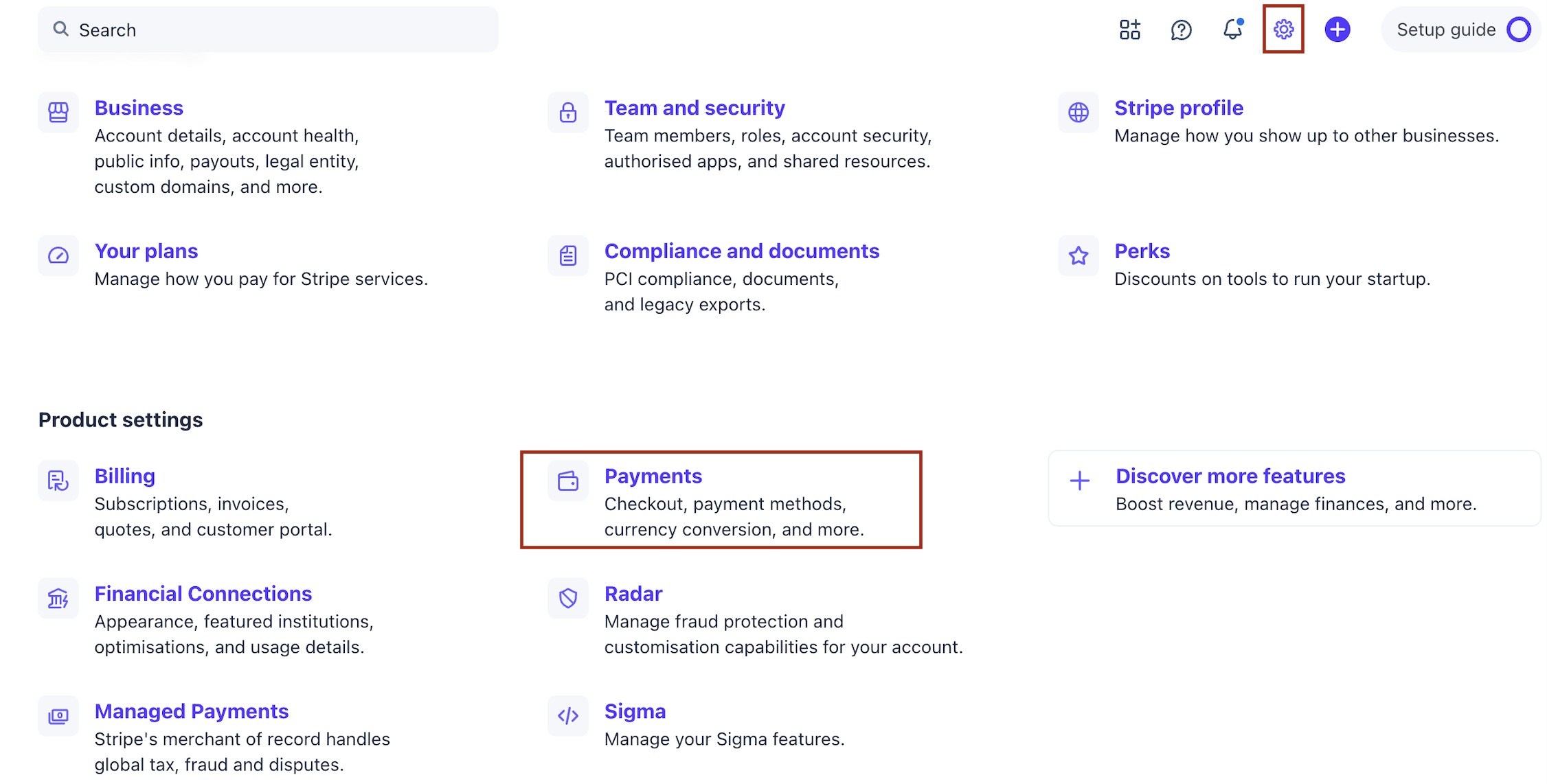

- Locate the Nacha compliance section
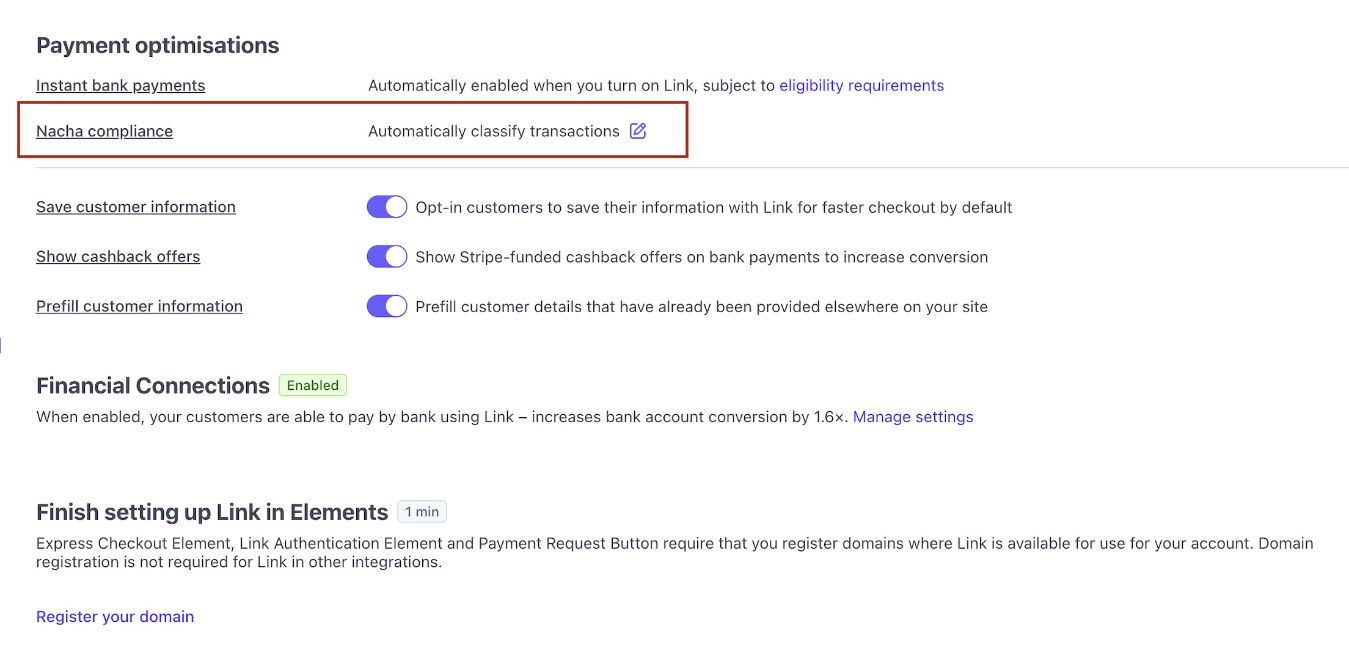
- Select one of the three classification options
- Save your changes
FAQ
Does the platform make these updates for me?
No. These are settings on your Stripe account, so you must update them in Stripe Dashboard.
I am not sure what to select here, who can help?
This change and setting of the option is fully in control of Stripe. If you are facing issues in getting complete clarity, you must try reaching out to Stripe support.
Was this article helpful?
That’s Great!
Thank you for your feedback
Sorry! We couldn't be helpful
Thank you for your feedback
Feedback sent
We appreciate your effort and will try to fix the article